Self-initiated concept, based on research with 16 parents
Role
Solo product designer, from research to UI
Timeline
6 months
Deliverables
Mobile app, brand identity
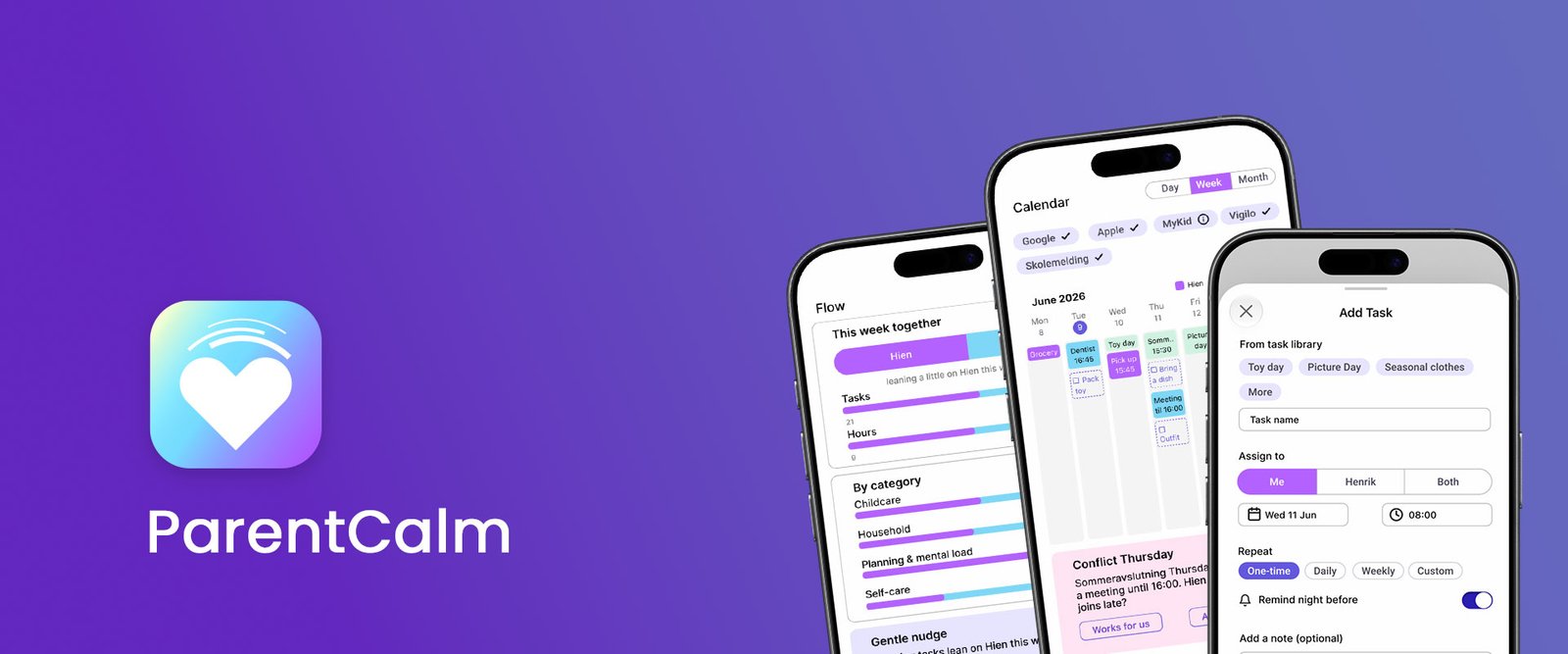
ParentCalm is a family coordination app concept that helps parents manage shared tasks, reminders, routines, and emotional load in one place.
01. Challenge
Parents carry a large amount of invisible household work: remembering, planning, coordinating, preparing, and following up. This load often falls on one partner, creating stress, resentment, and emotional overload.
Existing tools like calendars, task apps, and wellness apps support parts of family life, but none make mental load visible, shared, and actionable.
How might we make invisible household tasks visible and help parents share responsibility without nagging?
02. Research & Discovery
Competitive analysis
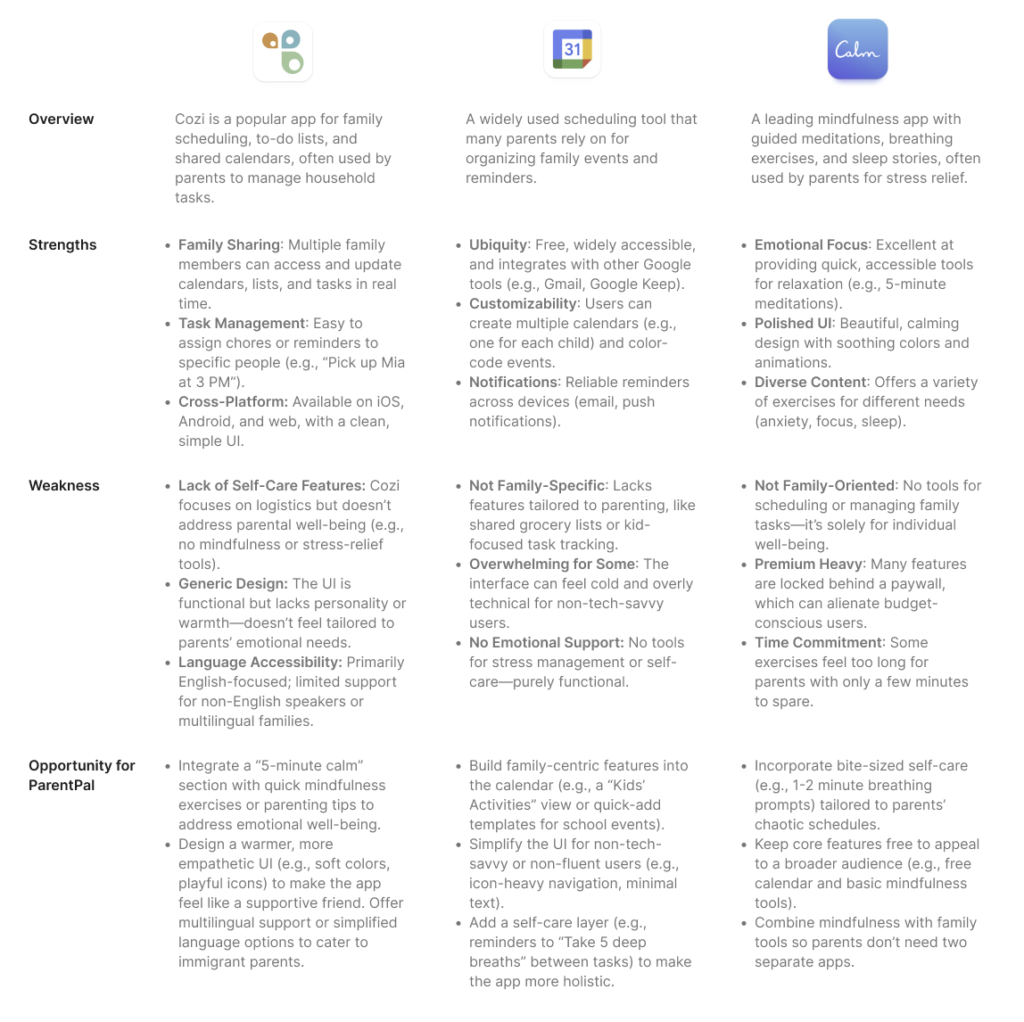
I analyzed three existing tools: Cozi Family Calendar, Google Calendar, and Calm, to find the gap in the market.
Key insight:Existing tools handle either logistics or wellness, but never both. ParentCalm combines family task management with emotional support.
User research
To understand the daily reality parents face, I surveyed parents in Norway who lack nearby family support, a group I belong to and understand firsthand.
Method
Online survey via Google Forms
Participants
16 parents in Norway, mostly from international backgrounds navigating local systems (barnehage, schools) without extended family nearby
Approach
Quantitative questions (ratings, multiple choice) paired with open-ended responses, capturing both measurable data and the nuance behind daily stress, task distribution, and tool usage.
Questions I explored: biggest daily stressors, how household tasks get distributed, which tools families currently use, and which invisible tasks consistently fall through the cracks.
Research synthesis
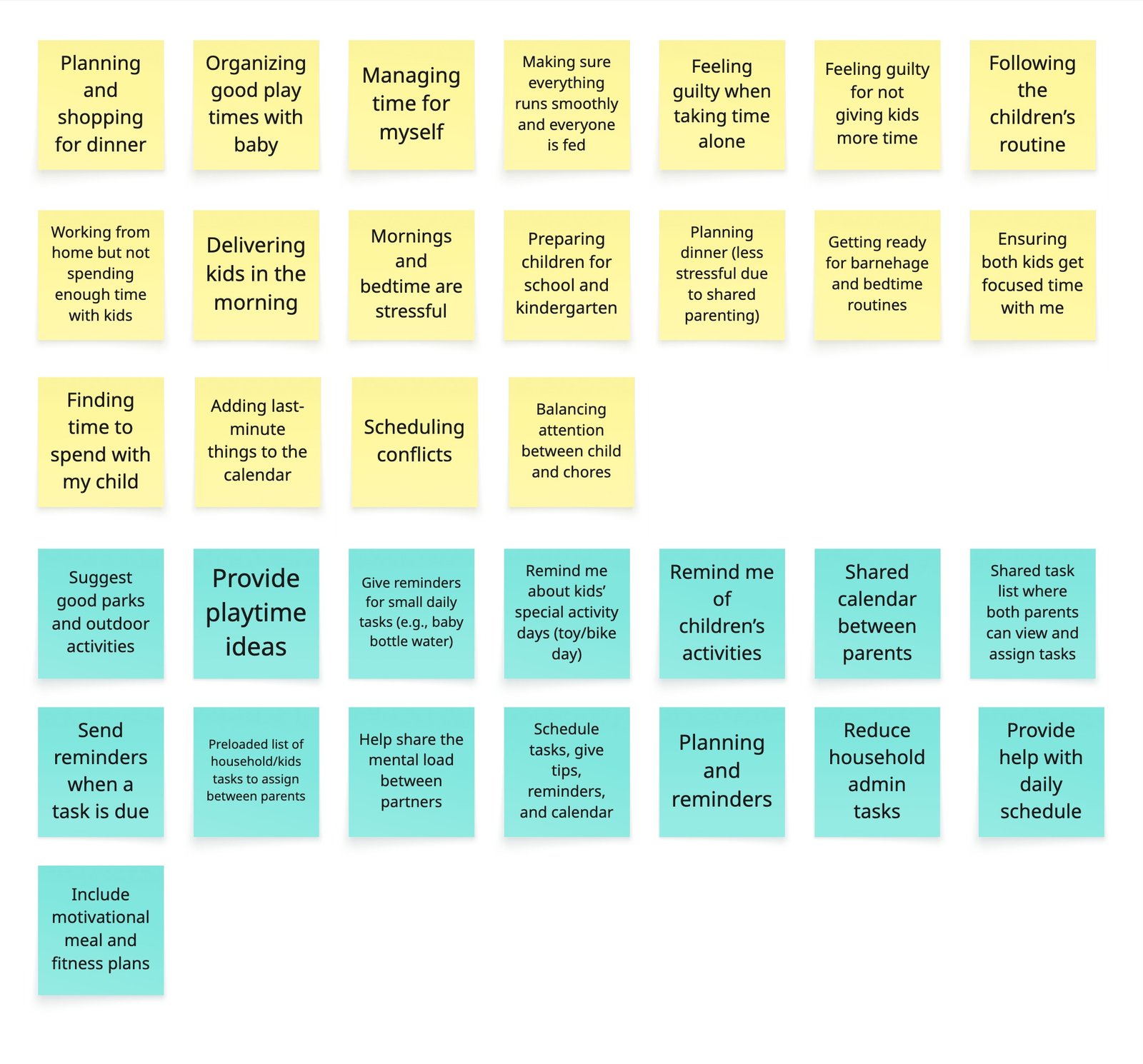
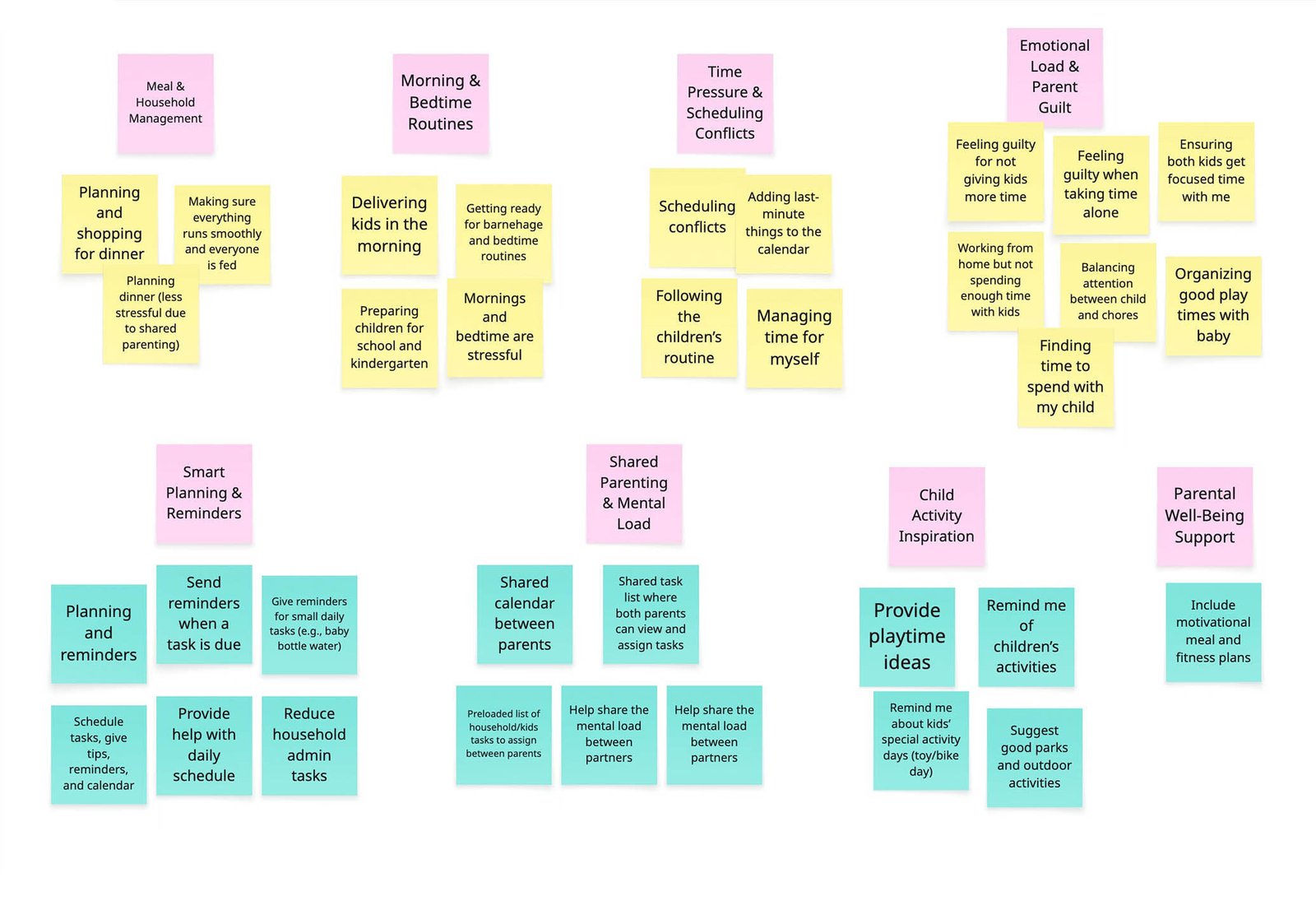
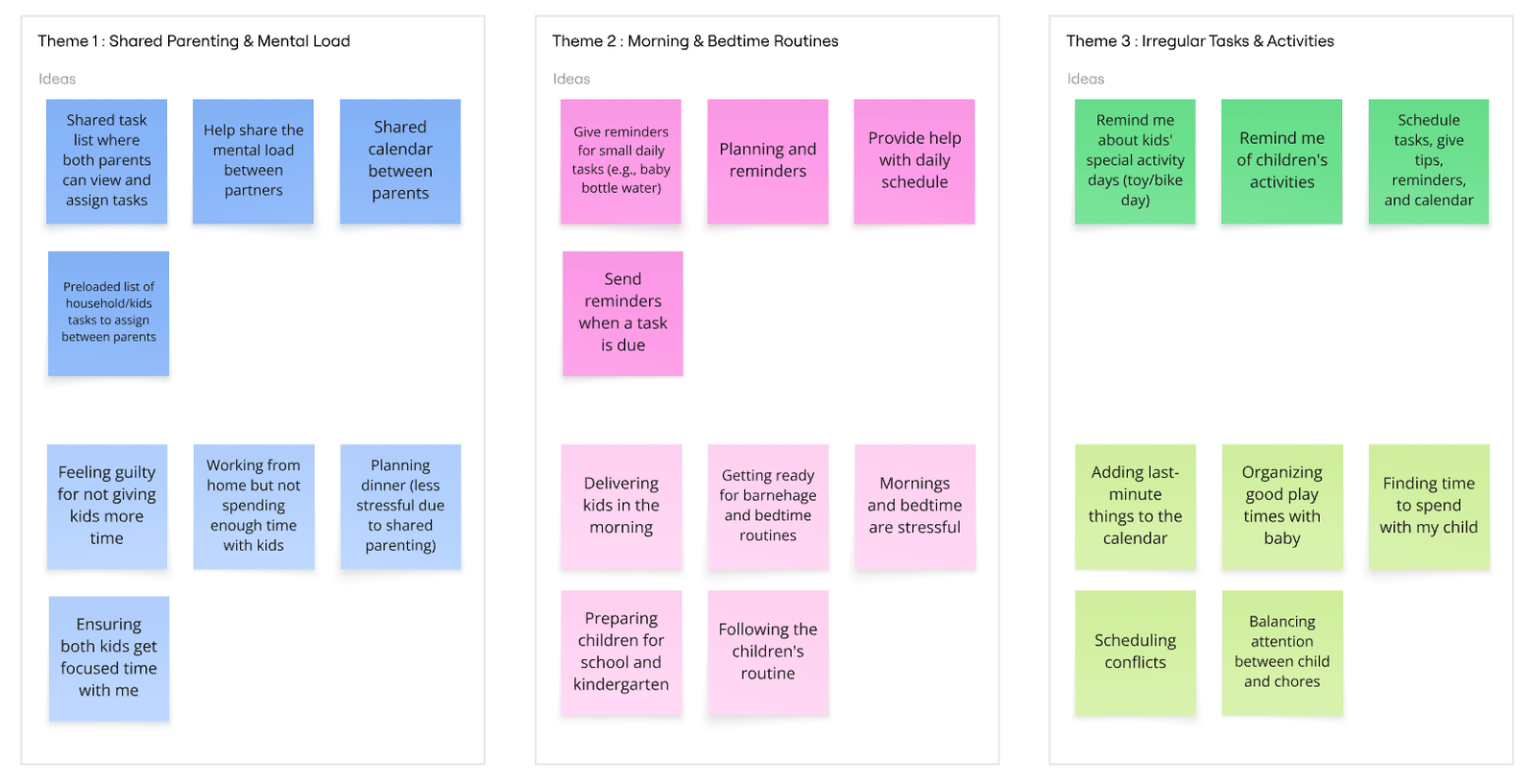
I grouped the survey responses through affinity mapping to surface patterns across all 16 participants.
Affinity Diagram Gather
Affinity Diagram Group
THREE THEMES EMERGED
1. Morning & bedtime routines
The most cited stressor; parents described these hours as chaotic and emotionally draining.
2. Shared parenting & mental load
Clear patterns around fairness, visibility, and one partner carrying the cognitive work of remembering and planning.
3. Irregular tasks & activities
Recurring frustration with tasks that slip through the cracks (barnehage “toy day,” seasonal clothing swaps, one-off appointments) because standard calendars don’t capture them.
Key findings
Four pain points stood out:
37.5%
Unfair distribution
The most cited stressor; parents described these hours as chaotic and emotionally draining.
44%
Morning stress
Parents describe mornings as chaotic and emotionally draining.
62.5%
Tool fatigue
Many feel digital tools become just another thing to manage.
#1
Invisible work
Irregular chores like gift-buying, scheduling, and follow-ups top the list.
“I have to bring things up for my husband to notice them. He doesn’t think to sort the kids’ clothes or check daycare bags.” — Survey respondent #9
03. Understanding users
User personas
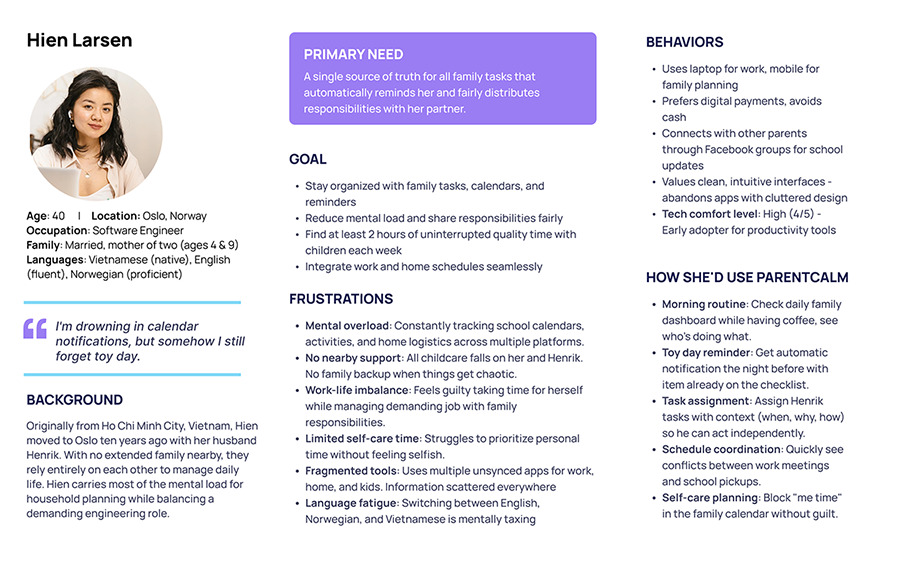
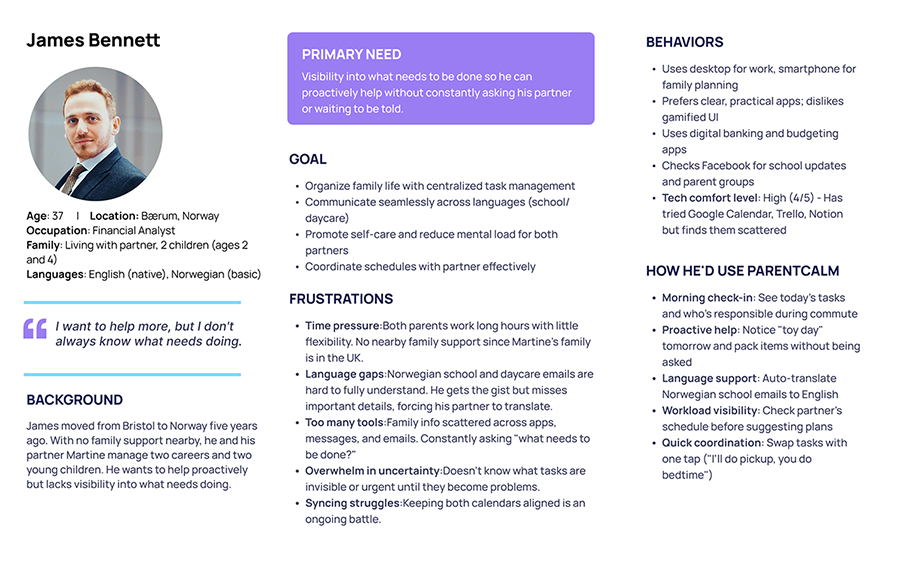
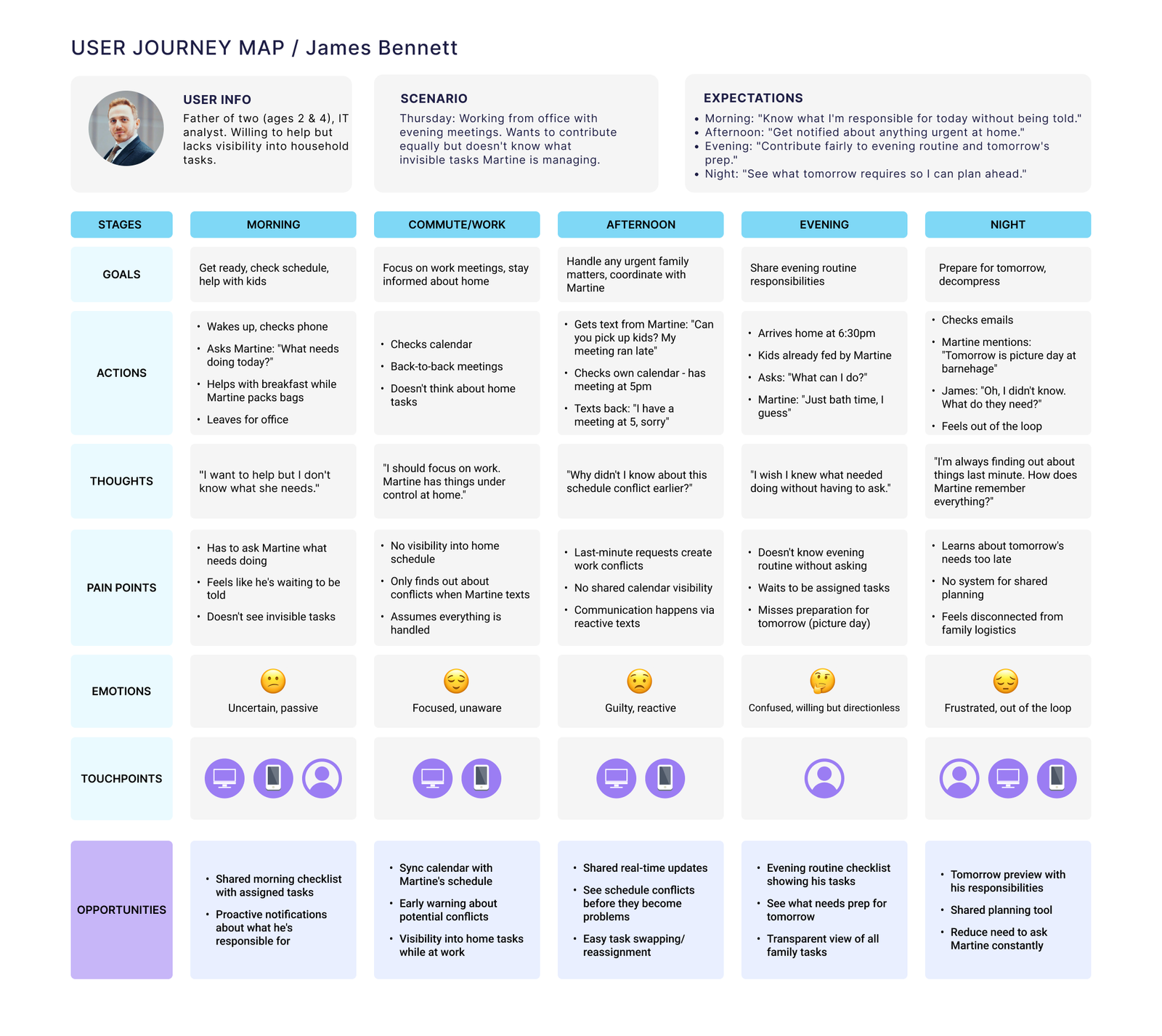
From the research, I built two personas in two different families. Hien Larsen shares a home with Henrik and manages nearly all of their household’s mental load. James Bennett shares a home with Martine and wants to take on more of theirs, but doesn’t have visibility into what needs doing. Two households, opposite ends of the same problem.
Hien and James live in different households, but each is one half of the same imbalance. Hien tracks everything and burns out; James waits to be told and feels shut out. ParentCalm has to serve both roles at once: letting the person holding the load put it down, and the person offering help act without having to ask.
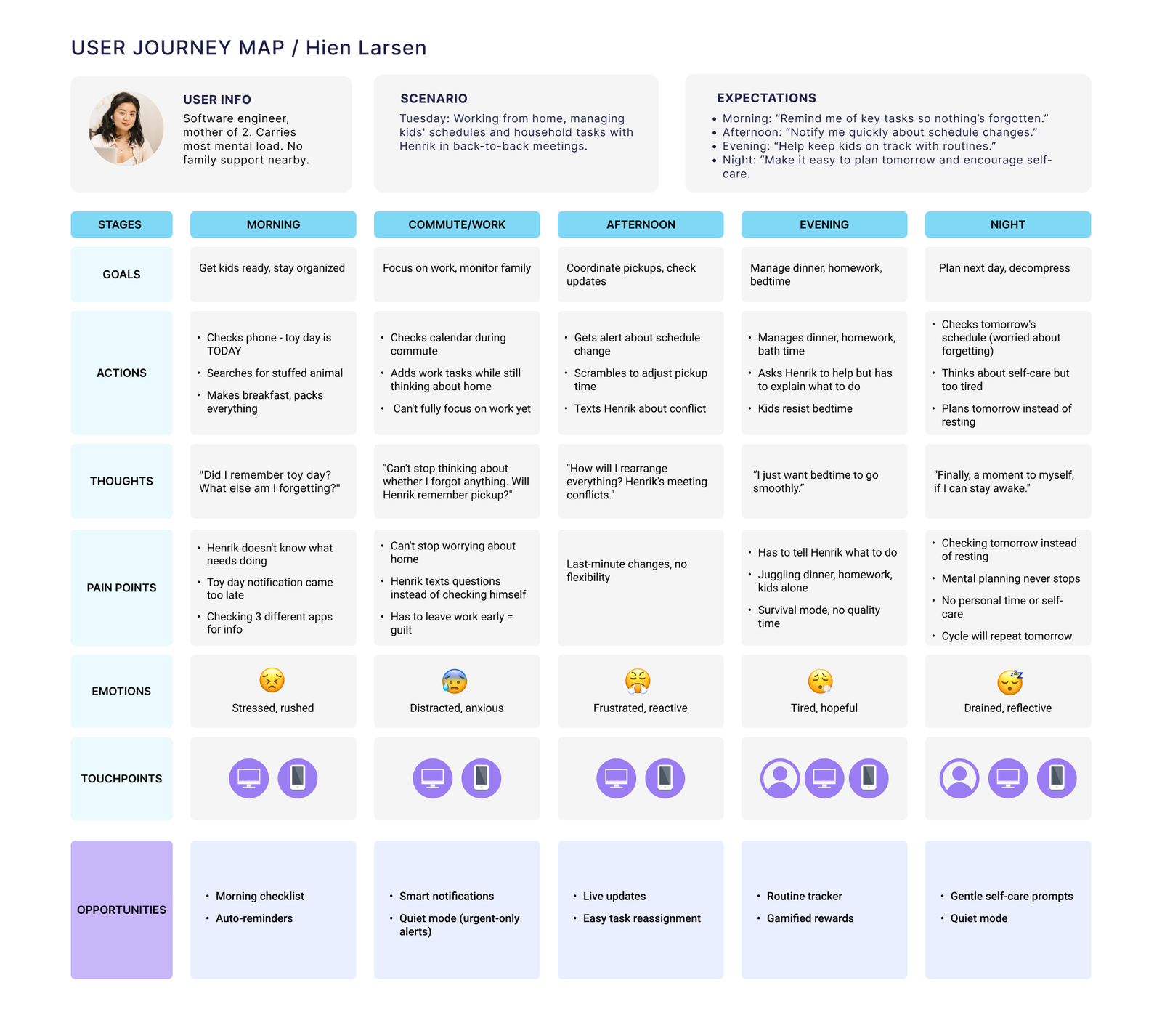
User journey maps
I mapped a typical weekday for each persona to pinpoint where stress builds and where ParentCalm could step in.
The maps reveal complementary pain points: Hien carries the invisible work and feels overwhelmed, while James wants to help but lacks the visibility to act. ParentCalm’s opportunity sits exactly in that gap: surfacing tasks so they’re shared, not silently held by one partner.
04. Solution & Features
Feature prioritization
The three research themes shaped what I built next. Using the MoSCoW method, I prioritized features that tackle the two core problems head-on: making invisible work visible, and reducing mental load.
MUST HAVE — THE MVP CORE
Shared task dashboard
Makes invisible work visible to both partners
Smart reminders
Proactive notifications for irregular tasks like toy day
Contribution view
Shows fair distribution over time
Task library
Pre-loaded common household tasks
Family calendar
Centralized schedule for all family members
SHOULD HAVE — IMPORTANT, NOT CRITICAL
Morning/evening routine templates
Activity suggestions
Language support
COULD HAVE — NICE TO HAVE
Gamification
Meal-planning integration
05. User flows
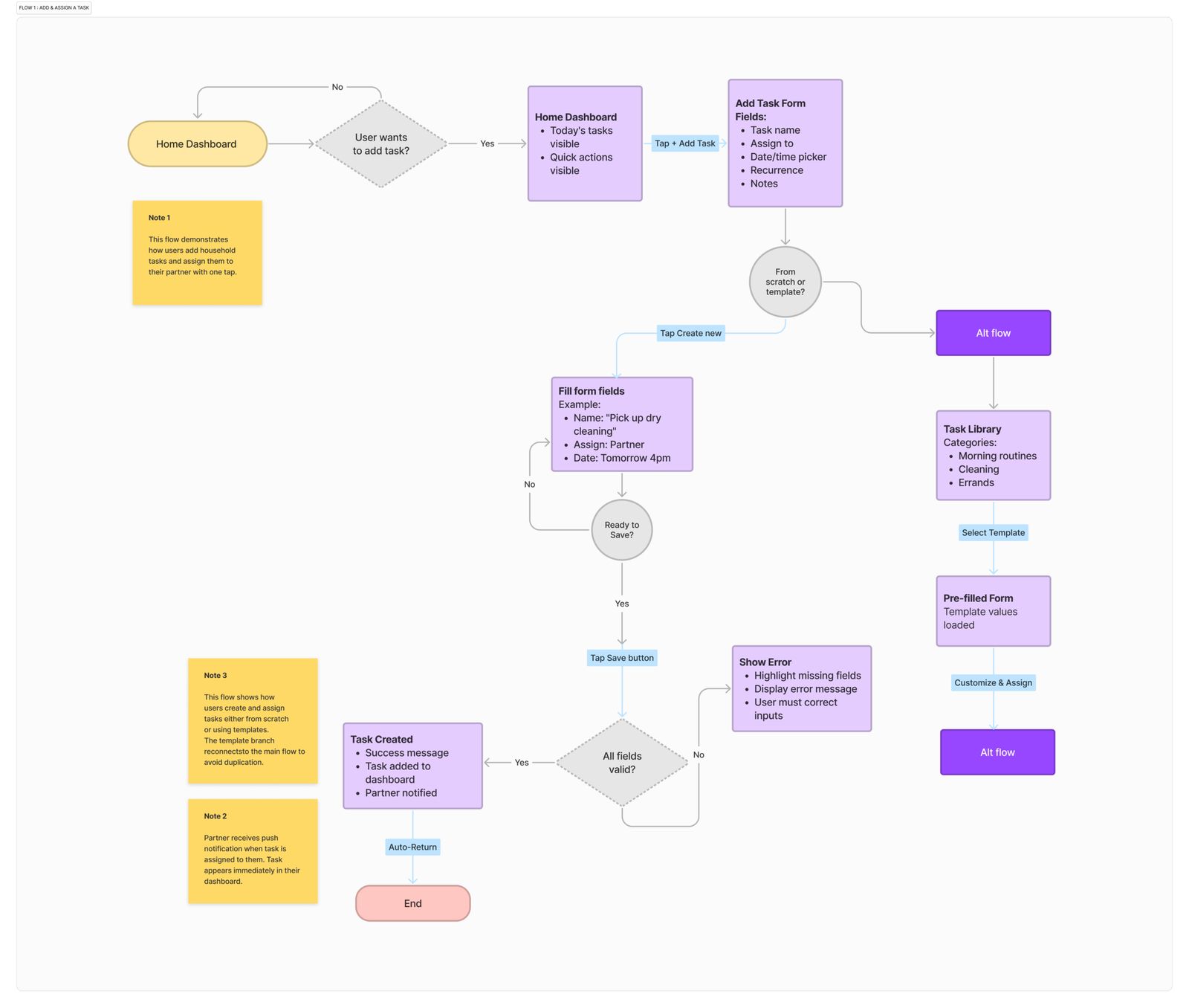
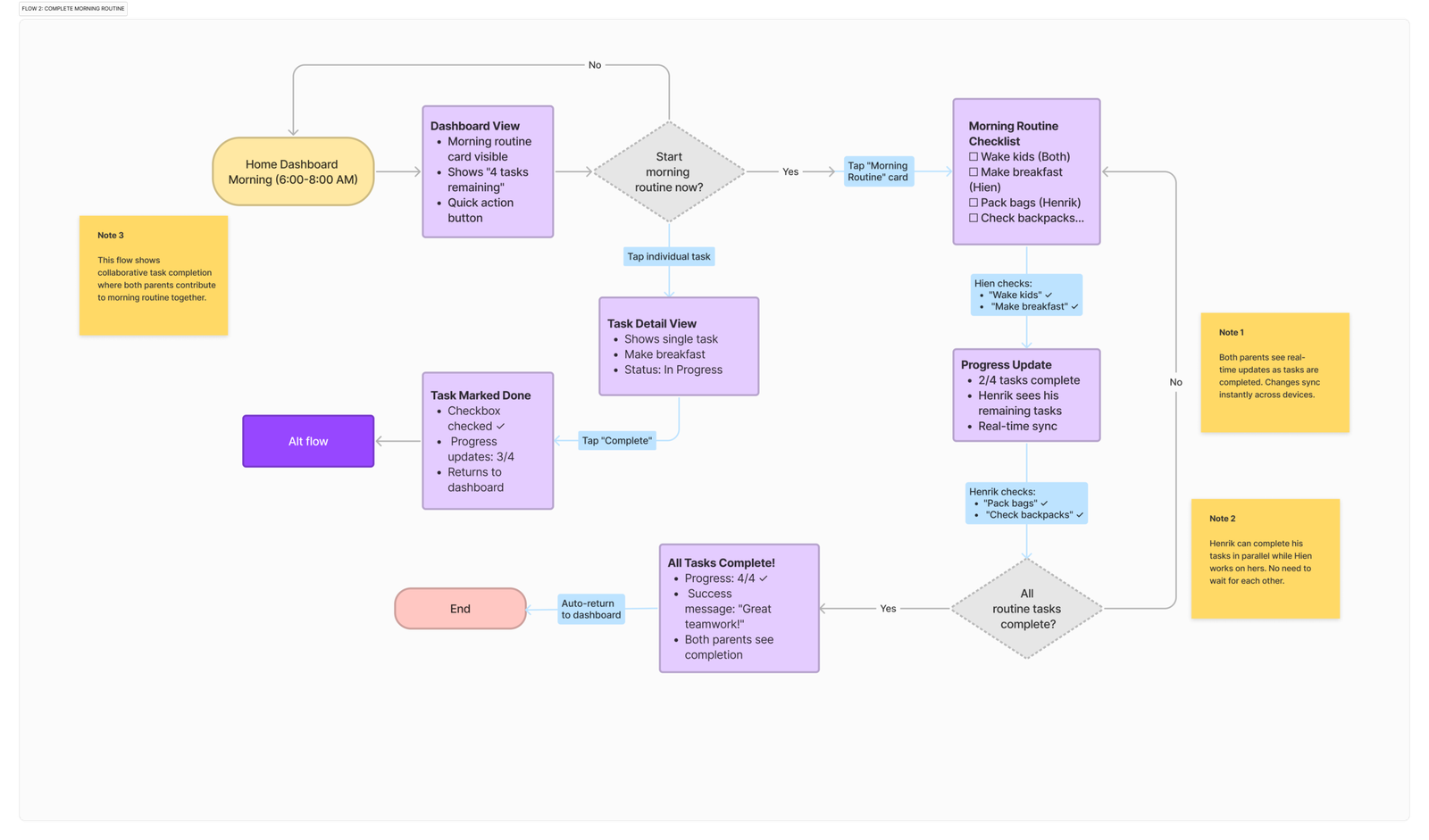
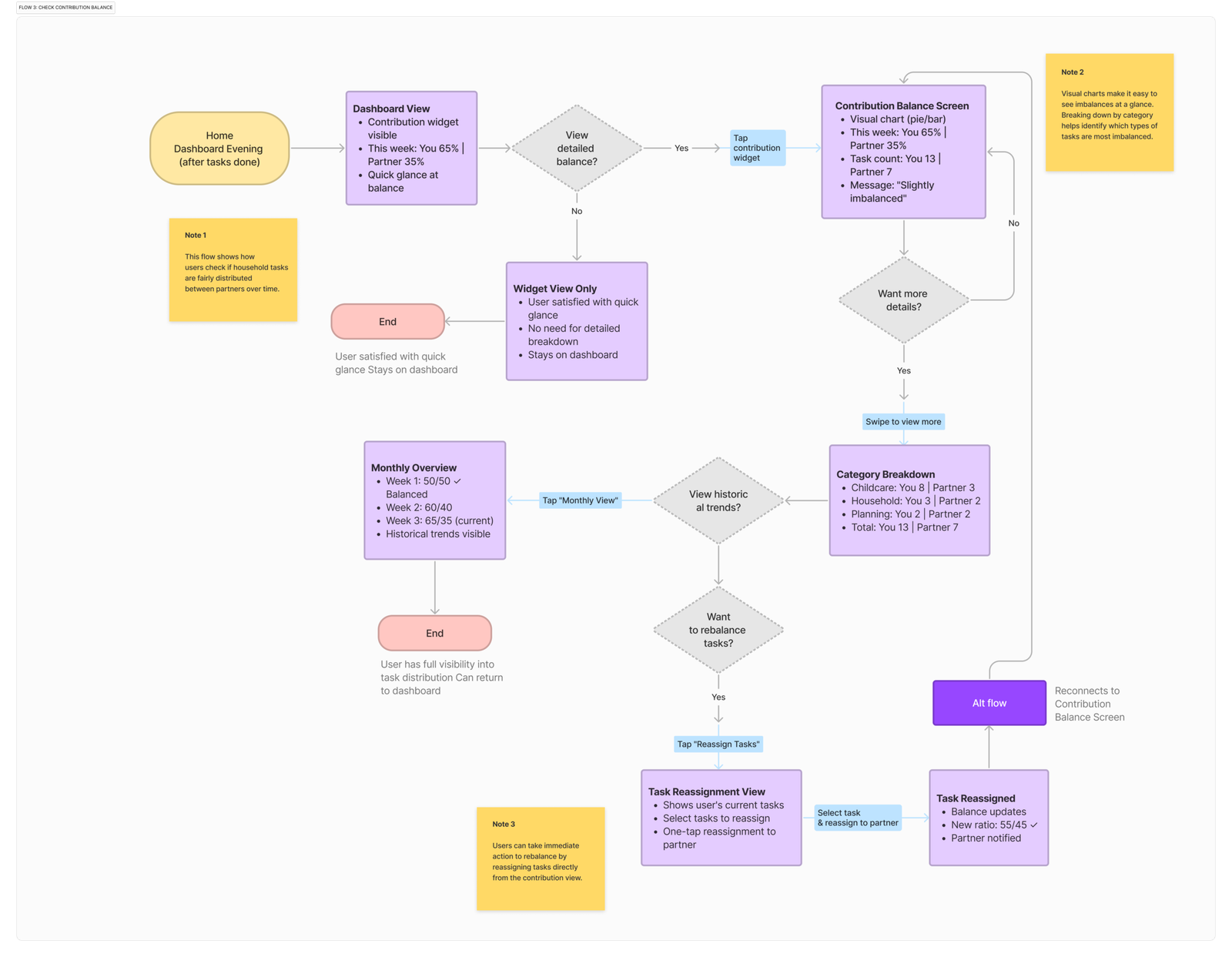
Before designing screens, I mapped how users move through ParentCalm’s core tasks, including decision points, error states, and where both partners interact. These flows turned the feature set into concrete interaction logic and became the blueprint for the wireframes.
Flow 1: Add & assign a task
A parent adds a task from scratch or a template, assigns it to themselves, their partner, or both, and the partner is notified instantly. The template path reduces repeat effort for common chores; validation catches missing fields before a task is created.
Flow 2: Complete the morning routine
The shared morning checklist where both parents contribute in real time. As each person checks off their tasks, progress syncs live and both see completion. That turns a chaotic, solo-managed routine into shared, visible work.
Flow 3: Check contribution balance
A parent glances at the contribution widget, drills into the detailed breakdown by category, and can reassign tasks directly when the split feels uneven. It makes fairness visible and actionable without a confrontation.
06. Hi-fi mockups
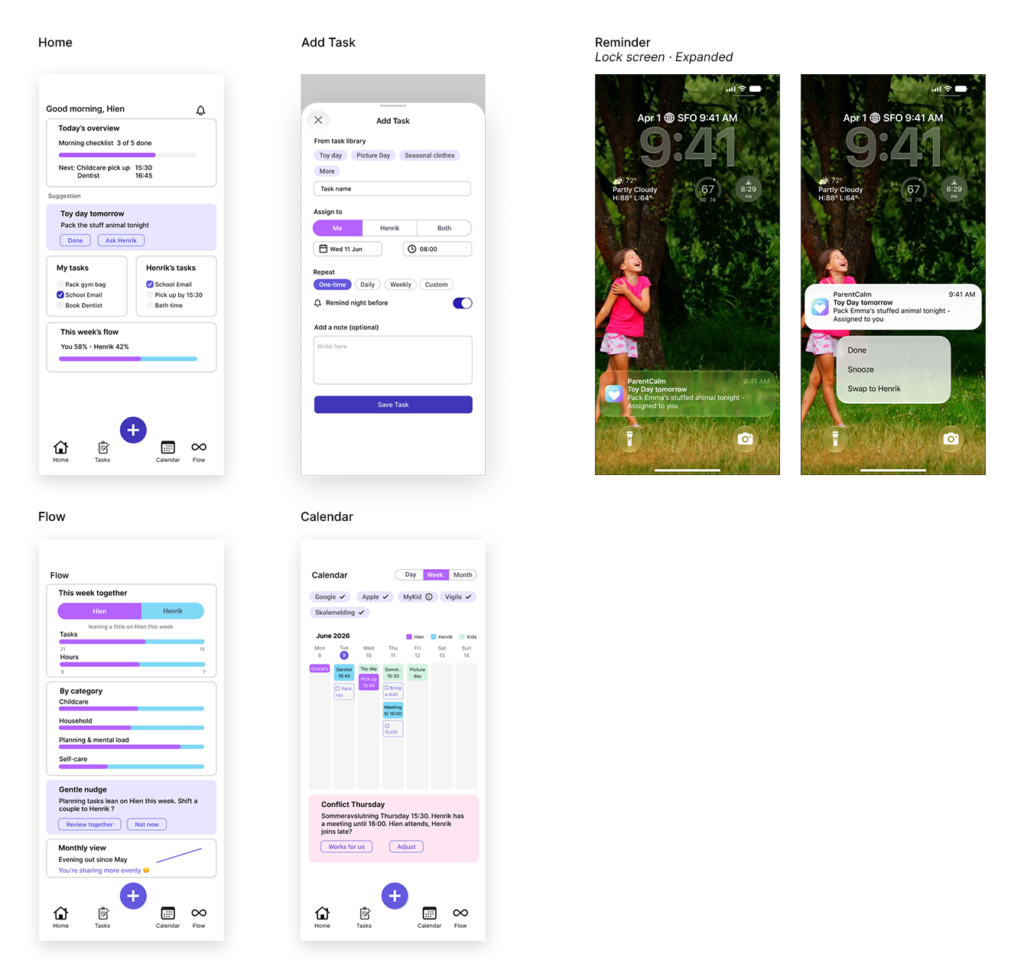
With the structure settled, the high-fidelity pass gave the screens a visual language. Most family organizers look like productivity software, which is exactly wrong for parents already drowning in obligations. So I kept the design quiet with muted color, soft cards, generous space, nothing shouting for attention. A single type scale and shared components hold the five screens together.
07. System
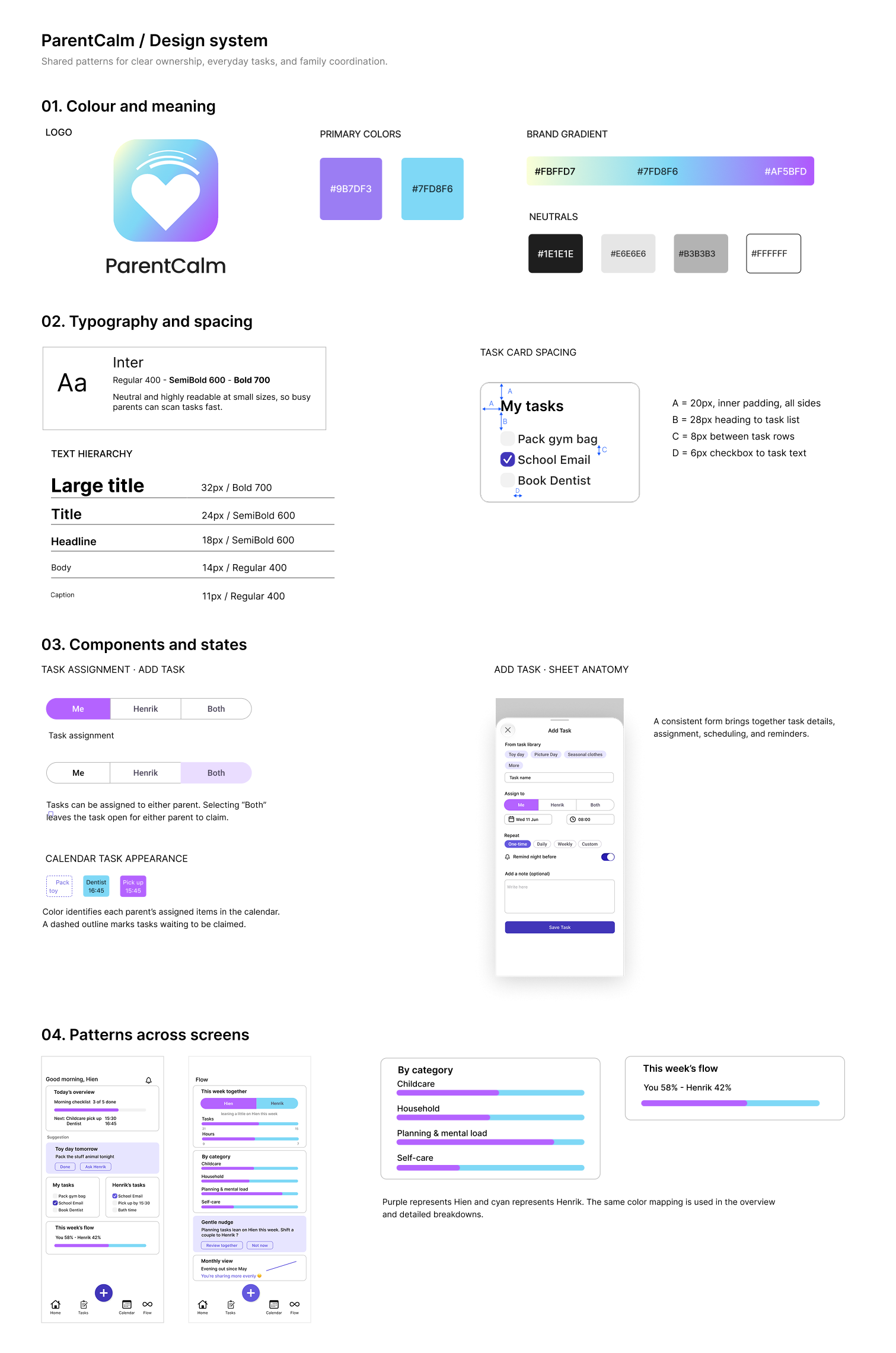
I brought together shared colours, typography, spacing, and interface patterns to keep ParentCalm consistent across screens. The system supports everyday actions such as assigning tasks, checking plans, and understanding how responsibilities are shared.
08.Reflection
ParentCalm helped me think more carefully about the work behind everyday family routines. The survey of 16 parents informed a concept focused on making responsibilities visible and easier to coordinate.
The main design challenge was balancing useful detail with simplicity. Parents need enough information to plan and share tasks, but keeping that information updated should not become another responsibility in itself.
The next step would be to test the core flows with parents, particularly adding a task, claiming an unassigned task, and interpreting the workload view. I would want to understand whether these features support helpful conversations and whether the app feels manageable during a busy day.